 ultimate-guide
Residential Security Lock Upgrade Guide 2026
Table of Contents
- Why a Security Lock Upgrade Is Worth the Investment
- ANSI/BHMA Lock Grade Standards: What Grade 1, 2, and 3 Actually Mean
- Key-in-Knob vs Deadbolt: Which Entry Point Needs the Upgrade
- How to Rekey House Locks After Moving In
- Smart Locks and Biometric Access: Weighing Convenience Against Cybersecurity
- Reinforcing Strike Plates, Door Jambs, and Physical Security Beyond the Lock
- Common Mistakes to Avoid During a Security Lock Upgrade
- Conclusion
- Frequently Asked Questions
Last Updated: October 4, 2026
Why a Security Lock Upgrade Is Worth the Investment
A security lock upgrade means replacing or reinforcing door locking hardware so entry points resist picking, bumping, drilling, and forced entry. It is the most cost-effective step a homeowner can take to reduce break-in risk, because the lock is what an intruder must defeat first.
At Anytime Unlock and George’s Key Shop, we have worked on residential doors since 1971, and the pattern is consistent: most homes rely on builder-grade hardware never designed to stop a determined attempt.
ANSI/BHMA Lock Grade Standards: What Grade 1, 2, and 3 Actually Mean
ANSI/BHMA grades classify locks by how much abuse they survive in standardized testing. Grade 1 is the highest residential and light commercial rating, Grade 2 is a solid mid-tier, and Grade 3 is the builder grade on most new homes.
The grading system is maintained by the Builders Hardware Manufacturers Association and published as American National Standards Institute standard ANSI/BHMA A156.36 for auxiliary locks, which covers deadbolts and auxiliary locking devices.
How BHMA Certification Is Tested
Certification testing measures performance under repeated operation and physical attack. A Grade 1 deadbolt withstands far more cycles and higher striking force than a Grade 3 unit, and resists picking, bumping, and drilling for a defined period.
What most guides miss is that grade applies to the complete lock assembly, not just the cylinder. A Grade 1 bolt in a Grade 3 strike plate still fails at the frame.
| Grade | Typical Use | Cycle Rating | Best For |
|---|---|---|---|
| Grade 1 | Commercial, high-security residential | Highest | Front entry doors, rentals |
| Grade 2 | Standard residential | Moderate | Most exterior doors |
| Grade 3 | Builder grade, interior | Lowest | Interior doors only |
Key-in-Knob vs Deadbolt: Which Entry Point Needs the Upgrade
A deadbolt is the priority upgrade on any exterior door. Key-in-knob locks, where latch and cylinder share one housing, resist jimmying and forced entry poorly because the latch is short and the knob can be pried.
Many homeowners upgrade the visible knob and leave the deadbolt untouched, that is backwards. The deadbolt throws a solid bolt into the jamb and is what stops a shoulder or pry bar.
If your door has only a key-in-knob lock, adding a deadbolt above it is the first move.
How to Rekey House Locks After Moving In
Rekeying house locks changes the internal pins so old keys stop working, without replacing hardware. It costs less than replacement and takes a locksmith under an hour for a typical home.
New homeowners should rekey every exterior lock on taking possession. You cannot know how many copies of the previous keys exist, and rekeying removes that uncertainty.
What You'll Need
- The existing locks, in place or removed
- A rekey kit matched to the lock brand and keyway
- A plug follower and pin tweezers
Step-by-Step Rekeying Process
- Remove the lock cylinder from the door or knob housing.
- Insert the working key and rotate to the shear line, then remove the plug with the follower.
- Extract the old pins and springs, keeping them in order.
- Install new pins matching the new key’s bitting.
- Reassemble, test the key, and reinstall the cylinder.
Smart Locks and Biometric Access: Weighing Convenience Against Cybersecurity
Smart locks trade a physical key for a code, app, or fingerprint, adding an attack surface a mechanical deadbolt does not have. A biometric lock reads a stored fingerprint template and releases the bolt; a connected lock adds Bluetooth, Wi-Fi, or a hub bridge for remote access. The bolt is rarely the weak point, the wireless layer, credential storage, and vendor data practices are.
What to Actually Check Before You Buy
Most guides say "look for encryption" and stop there. What to actually verify:
- Transport encryption. The lock-to-phone or hub link should use TLS 1.2+ for network traffic and AES-128 or AES-256 for Bluetooth or Zigbee/ZWave payloads. If the product page does not state the cipher, treat that as a red flag.
- Credential storage. Fingerprint templates should live in the lock's secure element, not a cloud account. Syncing biometrics to a server creates a breach target a local lock does not have.
- Account security. Two-factor authentication on the companion app is the single highest-value setting you can enable. Without it, a reused password is all an attacker needs to unlock your door from anywhere.
Biometric vs. Keypad vs. App-Only
| Access Method | Failure Mode | Best For |
|---|---|---|
| Fingerprint | Cold, wet, or worn fingers; sensor drift over time | Adults with consistent finger placement |
| Keypad code | Shoulder surfing; shared codes never rotated | Rentals, cleaners, dog walkers |
| App / remote | Dead phone, dead hub, Wi-Fi outage | Frequent guest access and audit trails |
| Mechanical key override | Key loss or copying | Every lock, as a mandatory backup |
The locks generating the most lockout calls are those installed without a mechanical override. Every smart lock should have a keyed cylinder or hidden physical bypass, test it before you rely on the lock.
Battery, Backup, and the Lockout Scenario
Battery life varies by radio type: Bluetooth-only locks commonly run six months to a year on alkalines, while Wi-Fi locks with always-on radios can drain in weeks. Plan for failure:
- Keep a spare set of batteries on hand and replace them on a schedule, not when the low-battery alert fires.
- Know where the emergency power terminals are (many locks accept a 9-volt battery held against external contacts to wake the keypad).
- Confirm the mechanical key override works before the battery dies, not after.
Reinforcing Strike Plates, Door Jambs, and Physical Security Beyond the Lock
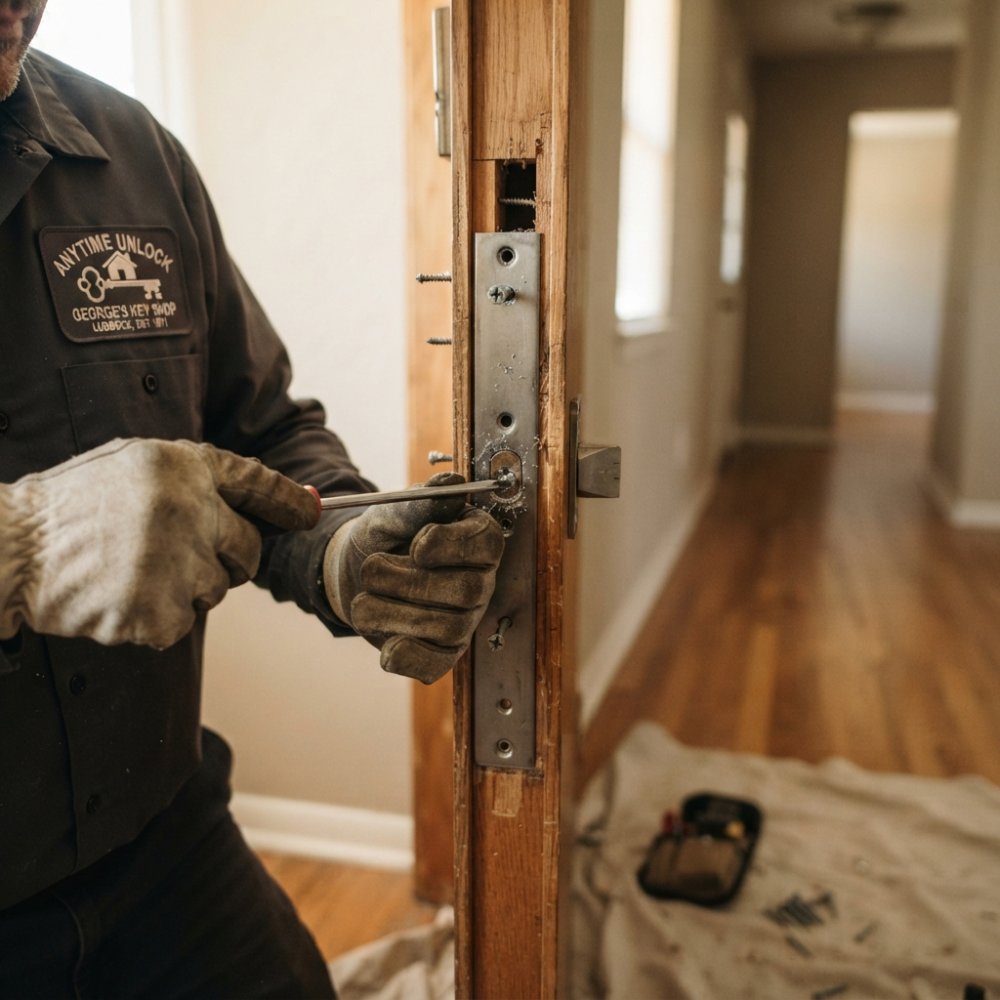
The strike plate and door jamb are where most forced entries succeed, even when the lock holds. A standard strike plate is fastened with two or three short screws into soft wood, and one kick can split the jamb and free the bolt.
The Four Weak Points on an Entry Door
- Strike side. The bolt must land in a reinforced plate anchored to the framing, not the jamb trim.
- Hinge side. Standard hinges are held by short screws into the jamb. Pop the hinge pins or pry the hinge side and the door swings open even with the deadbolt engaged.
- Door slab. A hollow-core or thin-gauge door can be split or drilled at the lock body regardless of bolt grade.
- Glass and sidelights. A decorative glass panel within arm's reach of the deadbolt is a bypass. Break the glass, reach through, turn the thumbturn.
Strike Plate and Jamb Reinforcement
Reinforcement means a heavier strike plate secured with long screws reaching the structural framing behind the jamb, plus a jamb reinforcer or wrap plate that spreads force across a wider area. The longer the screw, the more wood it engages and the more force needed to pull the plate out. A three-inch screw into the stud does the work; a one-inch screw into trim does not.
Hinge-Side Protection
Hinge-side reinforcement is the most overlooked step in residential lock upgrades. Options, least to most invasive:
- Long hinge screws. Replace one short screw per hinge with a three-inch screw that reaches the stud. Cheap, effective against prying.
- Security hinges or hinge bolts. These interlock the door and jamb so the door cannot be lifted off even if the pins are removed.
- Hinge pin stops (studs). A small set screw in the hinge barrel prevents the pin from being driven out from the inside.
Glass, Sidelights, and the Reach-Through Problem
If your entry door has glass within roughly 40 inches of the deadbolt thumbturn, an intruder can break the glass, reach in, and turn the thumbturn, no lock defeat required. Mitigations:
- Replace the interior thumbturn with a double-cylinder deadbolt (keyed on both sides). This removes the reach-through attack, but it creates a life-safety concern: you need a key within reach of the door at all times for emergency egress, and it is not appropriate for every household.
- Apply security film to the glass. It does not make glass unbreakable, but it holds the pane together long enough to slow entry and make noise.
- Install a security bar or auxiliary lock on the interior that cannot be reached through the broken pane.
Door Slab and Frame Construction
A Grade 1 deadbolt in a hollow-core door or thin-gauge steel frame is a Grade 1 lock in a Grade 3 opening. Check the door itself:
- Solid wood or solid-core doors hold screws and resist splitting. This is the baseline for an exterior entry.
- Hollow-core doors should not be used on exterior entries at all; if one is, the lock body has nothing to bite into.
- Metal frames require a reinforcement plate welded or bolted in, not just longer screws.
How This Connects to Insurance and Code
Some policies and local building codes specify minimum hardware on exterior doors, and a reinforcement upgrade bringing the door to Grade 1 with a reinforced frame is most likely to satisfy an adjuster after a claim. Keep receipts and photos of the installed hardware, and ask your agent in writing what your policy requires.
Common Mistakes to Avoid During a Security Lock Upgrade
The biggest mistake is upgrading the lock and ignoring the frame. A Grade 1 deadbolt in an unreinforced jamb fails at the same point a cheap lock does.
Other common errors:
- Choosing hardware by finish or brand name instead of checking the ANSI/BHMA grade
- Leaving old keys unaccounted for after a move instead of rekeying
- Installing a smart lock without enabling two-factor authentication or checking encryption
We often see homeowners buy a high-grade deadbolt and mount it with the original short screws. The grade means nothing if the plate pulls free.
Conclusion
A residential security lock upgrade guide is only useful if it changes what you do this weekend: check the grade on your deadbolt, rekey the locks you did not install, and reinforce the strike plate and jamb. For work done correctly the first time, Anytime Unlock and George’s Key Shop offers 24/7 mobile service, residential rekeying, and lock hardware expertise across auto, home, and commercial work.
Frequently Asked Questions
How to improve home security with better locks?
Start by upgrading to ANSI/BHMA Grade 1 deadbolts on all exterior doors. Add reinforced strike plates with 3-inch screws that reach the wall stud. For key control, rekey existing locks or install keyless entry. Smart locks with two-factor authentication add remote access but need battery life monitoring. A layered approach works best: solid hardware, proper installation, and key management together.
Is grade 1 lock better than grade 2?
Yes. ANSI/BHMA Grade 1 locks pass the most rigorous tests for pick resistance, bump resistance, and drill resistance. Grade 2 offers moderate security for residential use. Grade 3 is builder-grade and the least resistant to forced entry. For exterior doors, Grade 1 is the strongest choice, though Grade 2 is acceptable for interior or low-traffic entries. Check for the BHMA certification stamp on the product.
What is the most secure residential door lock?
A Grade 1 deadbolt with a reinforced strike plate and a solid door jamb is the most secure mechanical option. Add a mortise lock or a high-security cylindrical lock with restricted keyways for pick and bump resistance. For smart locks, choose models with encryption and two-factor authentication. No single lock is foolproof; combine quality hardware with door reinforcement and key management.
Should I rekey my locks or replace them entirely?
Rekey if your existing locks are Grade 1 or Grade 2 and in good condition. Rekeying changes the keyway so old keys no longer work, which is faster and less expensive. Replace locks if they are Grade 3 builder-grade, damaged, or lack modern security features like bump resistance. A locksmith can assess your current hardware and recommend the best path.
What are the benefits of installing smart locks?
Smart locks offer keyless entry, remote access, and temporary codes for guests or service providers. Many include audit trails showing who entered and when. Biometric fingerprint access removes the need for keys entirely. However, smart locks require battery life management and cybersecurity precautions like encryption and two-factor authentication. They work best alongside a mechanical deadbolt for backup.
What are the best security upgrades for my home?
Prioritize exterior doors with Grade 1 deadbolts and reinforced strike plates. Add door jamb reinforcement and consider a security film for glass panels. Rekey all locks after moving in or after a roommate change. For advanced protection, install a smart lock with encryption and remote access. Physical security beyond the lock, like lighting and landscaping, also deters intruders.