 blog
Key Card Entry System for Office: Costs and Setup
Quick Summary
A key card entry system for office use replaces or supplements metal keys with programmable cards that a reader checks before unlocking a door, and it logs each entry. Access can be granted or revoked from a computer without changing any locks. The system includes cards or credentials, readers, a controller and an electric lock.
- Access is tied to a person, so permissions can be changed from a computer.
- A typical installation includes credentials, readers, a controller and an electric lock or strike.
- Compare quotes by line item and calculate the five-year total cost of ownership.
- Quotes that omit power supplies, network connections or backup batteries are incomplete.
- Set a retention period for access logs tied to a stated purpose and purge older records automatically.
Table of Contents
- How Card-Based Access Control Works
- Key Card Entry System for Office Cost: Itemized Pricing and Total Ownership
- Wireless Key Card Entry System for Office: Deployment and Wiring Tradeoffs
- Key Card Entry Systems for Buildings: Multi-Door, Multi-Site, and Fire-Code Considerations
- Key Card Entry System for Business: Privacy, Monitoring, and Data Retention
- Booking Your Office Access Assessment With Anytime Unlock and George's Key Shop
- Frequently Asked Questions
What a Key Card Entry System for Office Use Actually Is
A key card entry system for office use is an electronic access control setup that replaces or supplements traditional metal keys with programmable plastic cards. Each card carries a credential that a reader checks before it unlocks a door, and the system logs who entered and when. For most offices, that means access can be granted or revoked from a computer, and every door swipe can be recorded without changing a single lock.
Here is the core idea. Keys are physical objects, so anyone holding one can open the door. Key cards are data, so access is tied to a person and can be changed from a computer. That shift is why businesses across the United States move to card systems as they grow.
A typical office installation includes four parts: the card or credential, a reader mounted beside the door, a controller that makes the decision, and an electric lock or strike. We'll cover each in the next section. Keep in mind that the software running the system matters as much as the hardware, because it controls who can open what, at which times.
How Card-Based Access Control Works
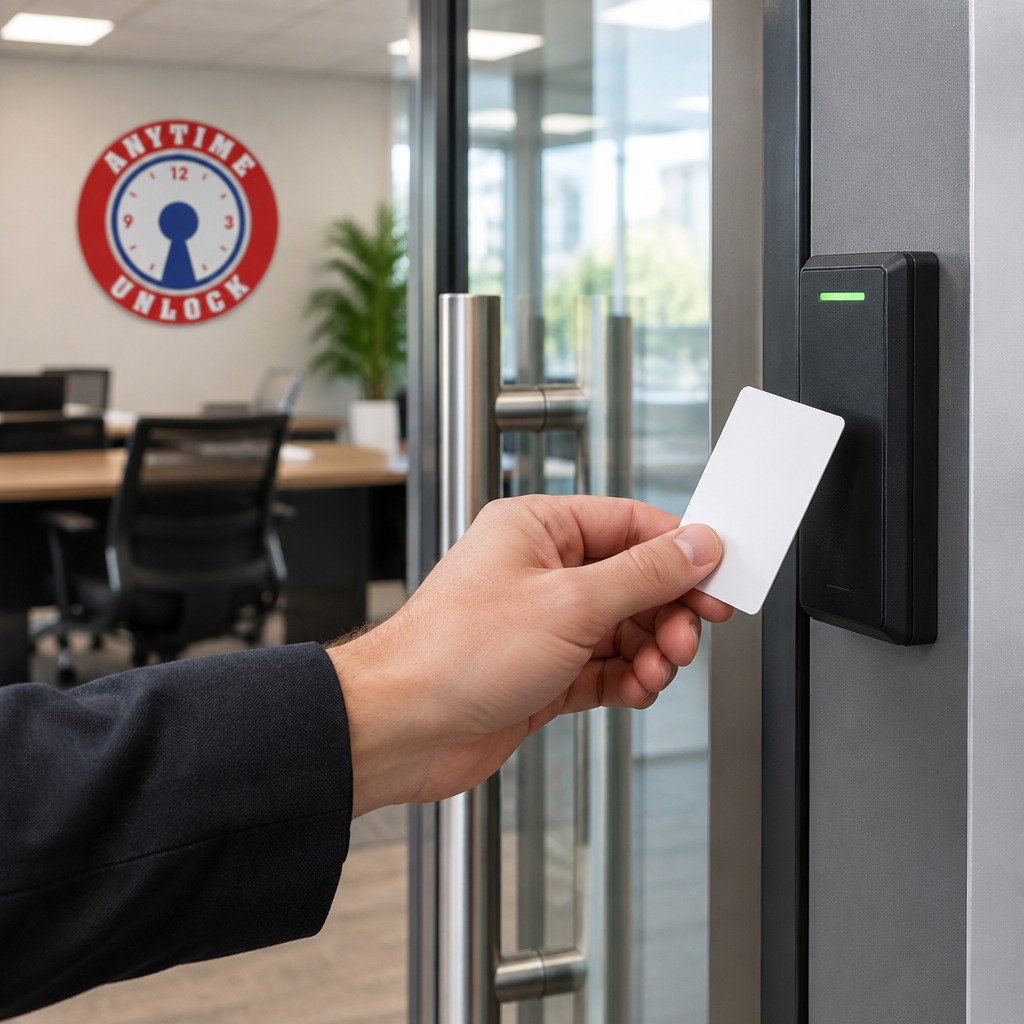
Card-based access control works by matching a presented credential against a list of approved credentials stored in the system. When the match succeeds, the controller releases the lock for a set period. When it fails, the door stays shut and the event is recorded.
The card is presented, the reader reads it, the controller checks its database, and the lock responds.
Credentials, readers, controllers, and locks
Each part of the system does a specific job:
- Credentials are the cards, fobs or tags issued to users. They hold a unique identifier, and the system links that identifier to a person.
- Readers sit beside the door and detect the credential. They send the identifier to the controller and provide feedback, usually a light and a beep.
- Controllers hold the rules. They decide whether a given credential may open a given door at a given time, and they keep the event log.
- Locks are the electric strikes, magnetic locks or motorized deadbolts that physically secure the door.
Most offices run a centralized management software program on a single computer or a cloud dashboard. A facilities manager uses it to add users, assign access levels and pull reports. Watch out: if the controller loses power or network connection, some systems stop granting access until they reconnect, so ask any installer how the system behaves during an outage.
Key cards versus key fobs and other credentials
Key cards are the flat plastic cards most people picture. They are inexpensive and easy to print with a photo and name. Key fobs are small keychain-style devices, often more durable and harder to lose in a pocket. Some offices also use smartphone credentials, which let staff open doors with an app.
Card type matters for two reasons. First, the technology inside the card determines how far away it can be read and whether it can be copied easily. Second, the card format determines whether you can buy blank cards from many vendors or are locked into one brand. Ask about both before you commit.
Key Card Entry System for Office Cost: Itemized Pricing and Total Ownership
Pricing for a key card entry system for office use depends on the number of doors, the reader and lock hardware you choose, whether the system is wired or wireless, and whether you pay for installation and a software subscription. To see the full commercial access control installation process, including hardware, wiring and estimate steps, review that guide.

Ask each installer to break the total into these line items so the offers can be compared directly:
- Readers, usually priced per door, with separate pricing for indoor and exterior-rated models
- Electric locks or strikes, priced per door and varying by door type (glass, steel, wood frame)
- Controller and power supply, usually one per door cluster or per panel, plus any battery backup
- Cards or fobs, priced per unit and again per reorder, since replacement credentials are a recurring expense
- Installation labor, including low-voltage wiring, mounting, testing and programming
- Software license and setup fee, plus any monthly or annual subscription
- Warranty and support terms, including response times and whether on-site service is included
To compare fairly, build a simple worksheet with one column per vendor and one row per line item. Then calculate two totals: the first-year cost, which includes all upfront hardware and installation, and the five-year total cost of ownership, which adds subscriptions, replacement credentials and expected service calls.
Several factors shift the numbers. Office doors that need fire-rated hardware or glass-door brackets cost more to equip. Expanding the system later often costs more than installing spare capacity at the start, because controllers and panels may need replacement.
Watch out: a quote that omits power supplies, network connections, or backup batteries is incomplete, and the missing items usually appear as change orders after the installation starts.
For current pricing on your specific doors, request itemized quotes from Anytime Unlock and George's Key Shop and compare them against the worksheet above.
The article breaks pricing into line items so you can compare quotes directly.
| Line item | What it covers | Why it matters |
|---|---|---|
| Readers | Priced per door, indoor or exterior-rated | Exterior models cost more |
| Electric locks or strikes | Priced per door by door type | Glass, steel and wood frames differ |
| Controller and power supply | Per door cluster or panel, plus battery backup | Often left out of incomplete quotes |
| Cards or fobs | Per unit and per reorder | Replacement credentials recur |
| Installation labor | Wiring, mounting, testing and programming | Wiring is a major share of time |
| Software license and setup | One-time fee plus any subscription | Subscriptions raise the five-year cost |
| Warranty and support | Response times and on-site service | Confirms what happens after install |
Wireless Key Card Entry System for Office: Deployment and Wiring Tradeoffs
A wireless key card entry system for office use reduces the cabling work, which is often the largest share of installation time. Wired systems run low-voltage cable from each reader back to the controller. Wireless systems use radio links, so the reader can be installed with fewer cable runs.
Wireless is not automatically better. It depends on your building. Thick concrete walls, metal framing and distance from the controller can weaken signal. Wired systems are generally more predictable and less vulnerable to interference, which matters in larger buildings or facilities with heavy electrical equipment.
A practical approach is to survey the site before choosing. Note where each door is, what the walls are made of, and where power is available. Many offices end up with a hybrid, using wired connections for critical doors such as server rooms and wireless for less sensitive entries.
Key Card Entry Systems for Buildings: Multi-Door, Multi-Site, and Fire-Code Considerations
A single office door is simple. A multi-floor building or a company with several locations needs more planning. Multi-door setups need consistent access levels across the building, so an employee can reach the floors they need and nothing more. Multi-site setups add the challenge of managing several locations from one place.
Fire and life-safety rules are non-negotiable. Electrically locked doors must release automatically during a fire alarm and must not trap occupants. If a card or key is lost, learn how to secure a site after losing access before the gap becomes a risk. Exit doors typically need to unlock from the inside without a card. Requirements come from local building and fire codes, which vary, so have a licensed professional confirm the design with your local authority having jurisdiction before installation.
Key Card Entry System for Business: Privacy, Monitoring, and Data Retention
Every card swipe creates an event record, and those records can show when staff arrive, leave and enter particular areas. Before turning the system on, it helps to know exactly what the software stores, because the answer varies by manufacturer and configuration.
Most systems log the credential identifier, the door, the date and time, and whether access was granted or denied. Some also record the reader that rejected a card, forced-door or door-held-open alarms, and changes made by administrators, such as a new user added or a permission altered.
Decide in advance who may view these logs. For upkeep of the mechanical locks that back up these doors, see commercial door lock repair options.
Retention is where many offices default to keeping everything indefinitely. A clearer approach is to set a retention period tied to a stated purpose, such as security investigation or incident response, and to configure the software to purge or archive older records automatically.
Privacy rules for workplace monitoring vary by location, so confirm the requirements that apply to your business with an employment attorney or your HR advisor before you enable detailed reporting.
Watch out: exporting logs to spreadsheets or personal email creates copies that sit outside the retention policy, so restrict exports to approved channels and track who makes them.
Booking Your Office Access Assessment With Anytime Unlock and George's Key Shop
Choosing the right system is easier with an on-site assessment. At Anytime Unlock and George's Key Shop, the team has served Lubbock since 1971 and handles commercial locksmith work alongside residential and automotive service. You can compare the business locksmith services we offer and how to request a quote before booking. Our commercial locksmith services cover access control planning and installation, and we can walk through your doors, wiring and access levels before you decide.
Get a free quote to start, then bring your floor plan and list of doors to the visit. If you are still deciding whom to hire, this guide on choosing a commercial locksmith explains how to evaluate credentials, insurance and costs. Ask for the itemized breakdown described above, so you can compare options fairly.
Ready to plan your office access system? Get a free quote from Anytime Unlock and George's Key Shop.
Frequently Asked Questions
How much does a key card access system cost?
Pricing depends on the number of doors, the reader and lock hardware chosen, whether the system is wired or wireless, and whether you pay for software licensing or a monthly service plan. Costs also vary with installation complexity, such as running new cable through finished walls. Anytime Unlock and George's Key Shop does not publish set prices for this service, so the most accurate figure comes from a site assessment and a written quote based on your actual door count and layout.
What is the card reader that opens the door in an office called?
The device is usually called a card reader, access reader, or door reader. It reads the credential, such as a proximity card, smart card, or key fob, and sends the request to a controller. The controller checks the credential against the access permissions stored in the system and then releases the electric lock if access is allowed. Readers are mounted beside the door, and their model determines which credential types the system can accept.
What happens if an employee loses an office access card?
The administrator should deactivate the lost card in the access control software immediately, so it can no longer open any door. A replacement card can then be issued and assigned to the same access levels. Most systems keep an audit trail showing when the lost card was last used, which helps with security reviews. Having a clear reporting procedure for employees makes this quick to handle.
Can a key card access system work across multiple office locations?
Many commercial systems support multi-site management, letting administrators control doors at several offices from one platform. Whether this works for your company depends on whether the system is cloud-hosted or on-premises, how the sites connect to the network, and how credentials are shared across locations. Confirm these details with a provider before purchase.